Purple keyboards have maximum aura.
Purple is the Claws x Code house color, and I have opinions about why. A purple board doesn't sit quietly on a desk. It throws a little light back at you. Aura is the word I keep landing on — the keyboard shifts the mood of the whole setup before you've typed a key.
Here are the ones doing it best right now. One glows. Two are about the layout under your hands. Then the gradient that started all of it, and the version of it I actually reach for.
Frost — the one that lights from the base

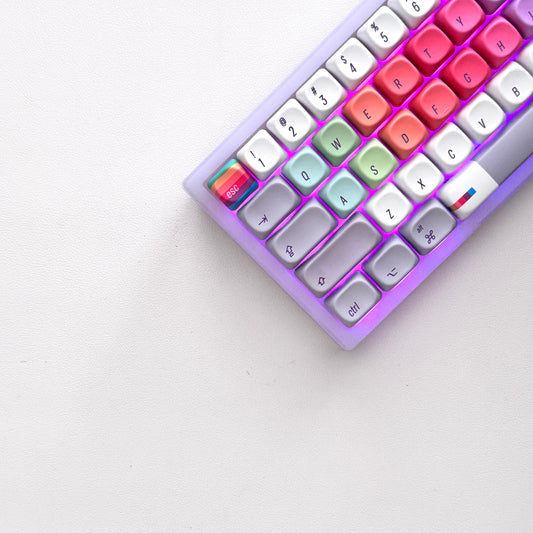
Frost is our first fully translucent board. Frosted clear case, clear keycaps, and the RGB isn't buried down under the switches the way it usually is. It rises up through the case itself, so the light pools at the base and the whole keyboard sits in its own halo on the desk. Type in a dark room and it looks like the board is the lamp. The sound came out soft and rounded, a little hushed by the frosted walls. I didn't expect that and now I don't want it any other way.
The 75 — the do-everything size

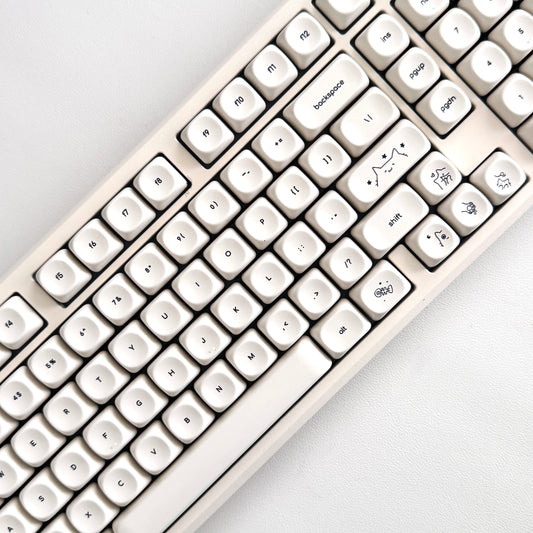
The 75 is the layout I keep recommending to people who think they need a full-size and don't. You get the function row, the arrow keys, and a little nav cluster for home and end and page up. You lose the number pad, which most of us weren't using anyway. What you get back is desk. The mouse comes in closer, the shoulders unclench, and the retro lavender face still looks like something off a 1998 desk in the best way.
The Ergo — retro layout, split for your wrists

The Ergo is the one for people who have started to feel their wrists at the end of a long day. The board splits down the middle and tents up slightly, so your hands sit at the angle they actually want instead of flat and rolled in. Almost nobody makes an ergo board that also looks like this — ergo usually means black plastic and no joy. This one is lavender with the same retro keycaps as the rest of the family. Ultra Violet comes in an ergo version too, if you want the gradient in this shape.
Ultra Violet — the original gradient

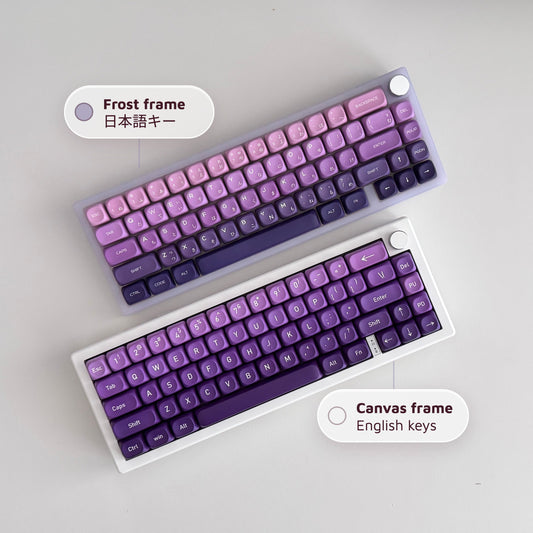
Ultra Violet is the signature. Deep grape across the top row fading down to a pale lilac by the spacebar, thocky switches under all of it, the entire brand identity in one keyboard. If you only ever know one Claws x Code board, it's this one.
The UV Japanese — the one I actually reach for

Then there's the Japanese edition, and this is the one that lives on my desk. Same purple gradient, but the keycaps carry a hiragana sub-legend next to the roman characters, so every key is quietly doing two jobs at once. It reads like a Famicom that grew up and went to design school. The set catches whatever light is in the room and holds onto a little of it, which is the whole aura thing made literal.
「見た目はかわいい、打鍵は本気。」 — looks cute, types like it means it.
Pick the one that matches your light
Frost for the glow. The 75 for the desk space. The Ergo for the wrists. Ultra Violet for the gradient everyone recognizes, and the Japanese edition if you want it whispering back at you in two alphabets. All of them sit with the rest of the boards.
made by Joi @clawsxcode · clawsxcode.com